Knowing what your agents are doing without looking
When you run 5 agents in parallel, you can't watch every terminal. We built status detection, sound notifications, and an activity dashboard so you don't have to.
The problem
The promise of AI coding agents is that they work in parallel while you focus on something else. The reality is that you end up tab-switching constantly. Is that agent still running? Did it finish? Is it stuck waiting for input? Did it hit a rate limit? You're spending your attention budget on monitoring instead of thinking.
This gets worse with scale. With 2 agents it's manageable. With 5 or 8 running across different repos, you lose track. An agent could be waiting for your input for minutes before you notice — wasted time for both of you.
Every tab tells you its state
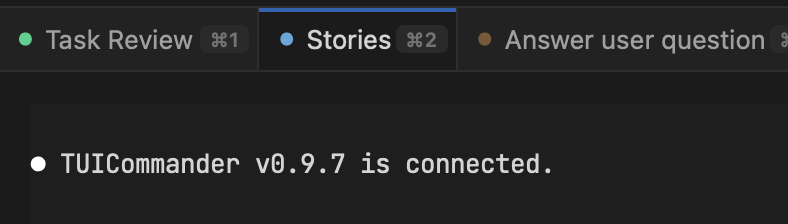
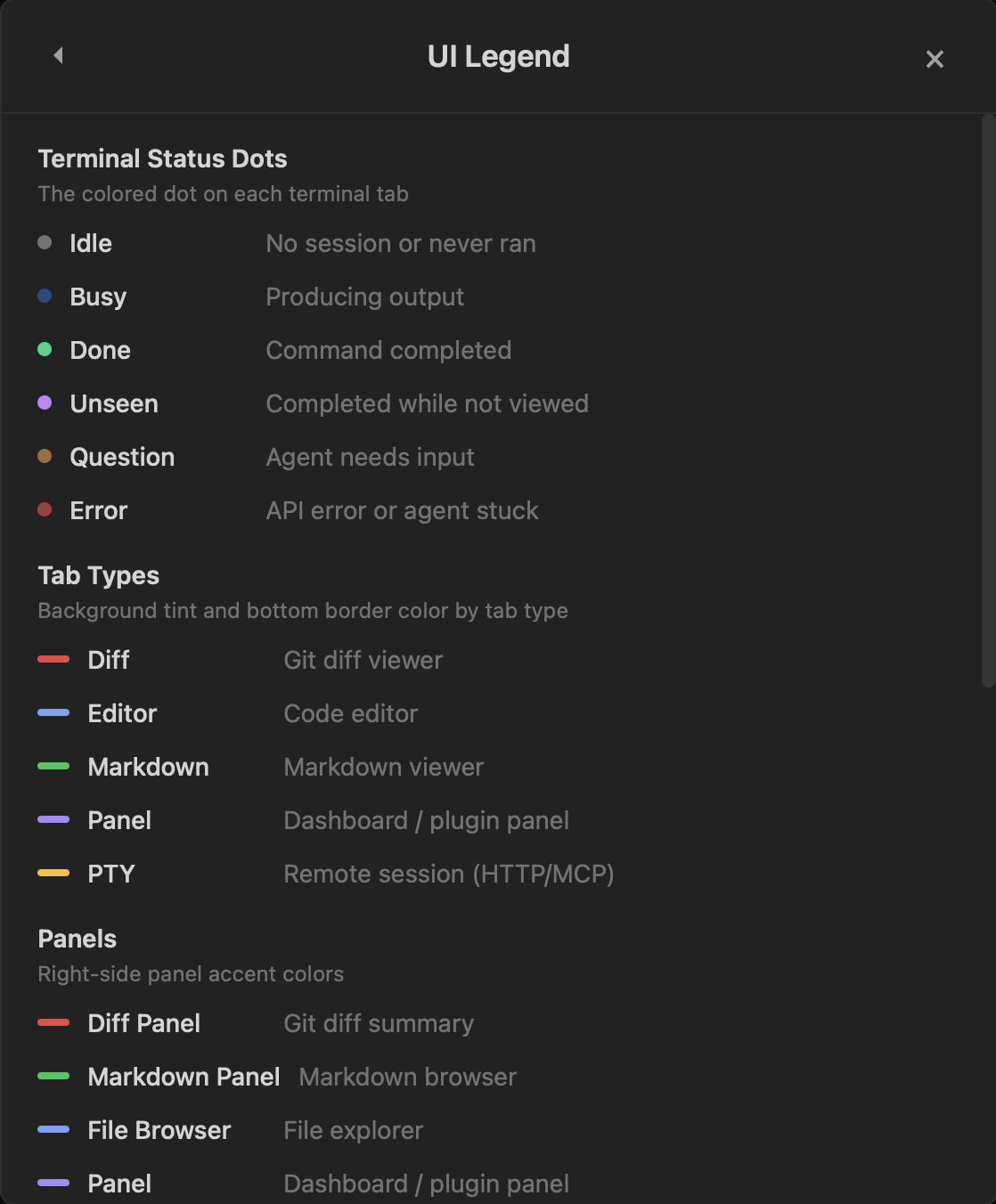
TUICommander parses the terminal output stream in real time to detect what each agent is doing. Every terminal tab shows a colored status dot that updates automatically:
Grey (Idle) — no session or nothing running. Blue pulsing (Busy) — the agent is producing output, actively working. Green (Done) — command completed successfully. Purple (Unseen) — the agent finished while you were looking at a different tab. Orange pulsing (Question) — the agent needs your input. Red pulsing (Error) — API error or agent stuck.
This is the core of the observability system. You don't need to read the terminal output to know the state — the dot tells you. A quick scan of the tab bar shows you which agents are working, which are done, and which need you.
Sound notifications keep you in flow
Visual indicators work when you're looking at TUICommander. But the whole point of running agents in parallel is that you might be doing something else — reading docs, reviewing code in another app, or just thinking. That's where sound notifications come in.
TUICommander plays distinct sounds for different events: a chime when an agent completes a task, a different tone when an agent asks a question, an alert for errors and rate limits. You learn the sounds quickly — after a day, you know the difference between "agent done, no rush" and "agent stuck, needs input now" without looking.
This changes how you work with parallel agents. Instead of polling tabs every 30 seconds, you stay focused on what you're doing and respond to agents when they actually need you. The notification bell in the top bar collects events you might have missed — CI passed, agent completed, worktree created — so nothing falls through the cracks.
The Activity Dashboard
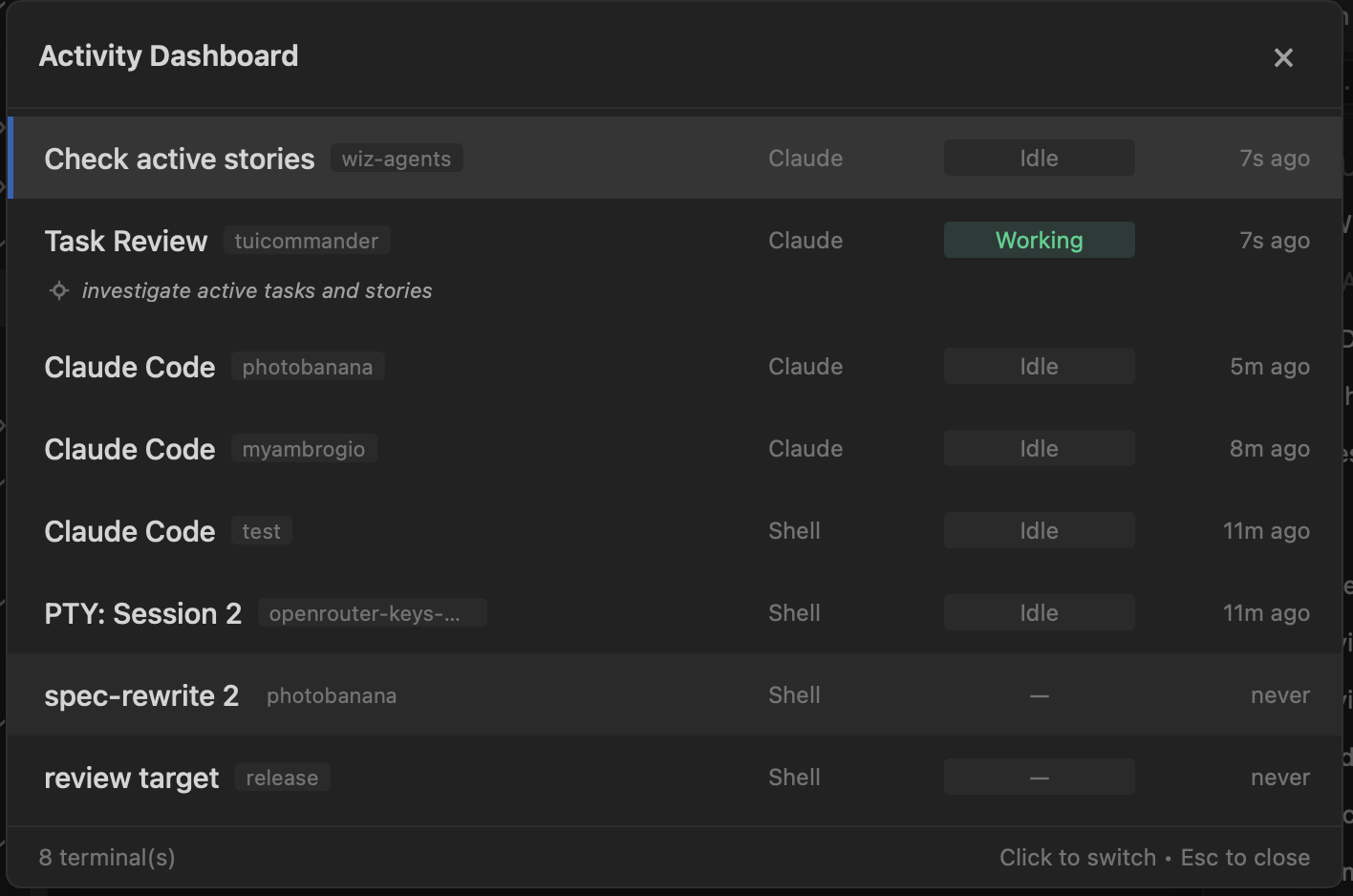
When you need the full picture, the Activity Dashboard shows every terminal session in one view. Each row shows the session name (which TUICommander derives from what the agent is doing — "Check active stories", "Task Review" — not just "Terminal 1"), the repo it's working on, the agent type (Claude, Shell), its current status, and when it was last active.
Click any row and you switch to that terminal instantly. The dashboard is your air traffic control — you see all 8 sessions at once, spot the one that's been idle for 11 minutes (probably needs attention), and jump right in.
Intent recognition
Notice that the dashboard doesn't just say "Terminal" or "Claude Code" — it shows what the agent is actually doing. "Check active stories", "Task Review", "spec-rewrite 2". TUICommander parses the agent's output to extract the task name, the current activity (Architecting, Wrangling, Manifesting), and follow-up suggestions.
This is the same parsing that powers the status dots: the output parser understands agent-specific UI patterns — status lines, progress indicators, question prompts, error messages — and translates them into structured events. The result is that you get a meaningful summary of each agent's state without reading raw terminal output.
What this enables
The combination of status dots, sound notifications, and the activity dashboard means you can run agents at scale without losing track. Launch 5 agents on different tasks, switch to reviewing a PR or reading documentation. A sound tells you when one finishes. A quick glance at the tab bar shows you the overall state. The dashboard gives you the details when you need them. Your attention goes where it matters instead of being scattered across terminal tabs.