AI Triage: code review that understands what changed
Every AI IDE can generate code. None of them review the diff before you commit. TUICommander's AI Triage classifies every changed file by risk, relevance, and category — streaming results as the LLM works through your changes.
The problem nobody is solving
You've been using AI coding agents for months. Claude Code, Codex, Gemini CLI — they write code fast. Sometimes too fast. You end up with a 47-file diff and a vague sense that you should review it before pushing.
So you open git diff. Forty-seven files. Half of them are lock files and config changes. A quarter are test files mirroring the actual changes. Somewhere in the remaining dozen files are the changes that actually matter — the ones that could break production, change an API contract, or introduce a subtle bug.
You scan them linearly, top to bottom, giving equal attention to pnpm-lock.yaml and auth_middleware.rs. By file 30, your attention has drifted. The important change in file 38 gets a cursory glance.
Every AI IDE on the market can generate code. Not a single one helps you triage what changed.
What AI Triage does
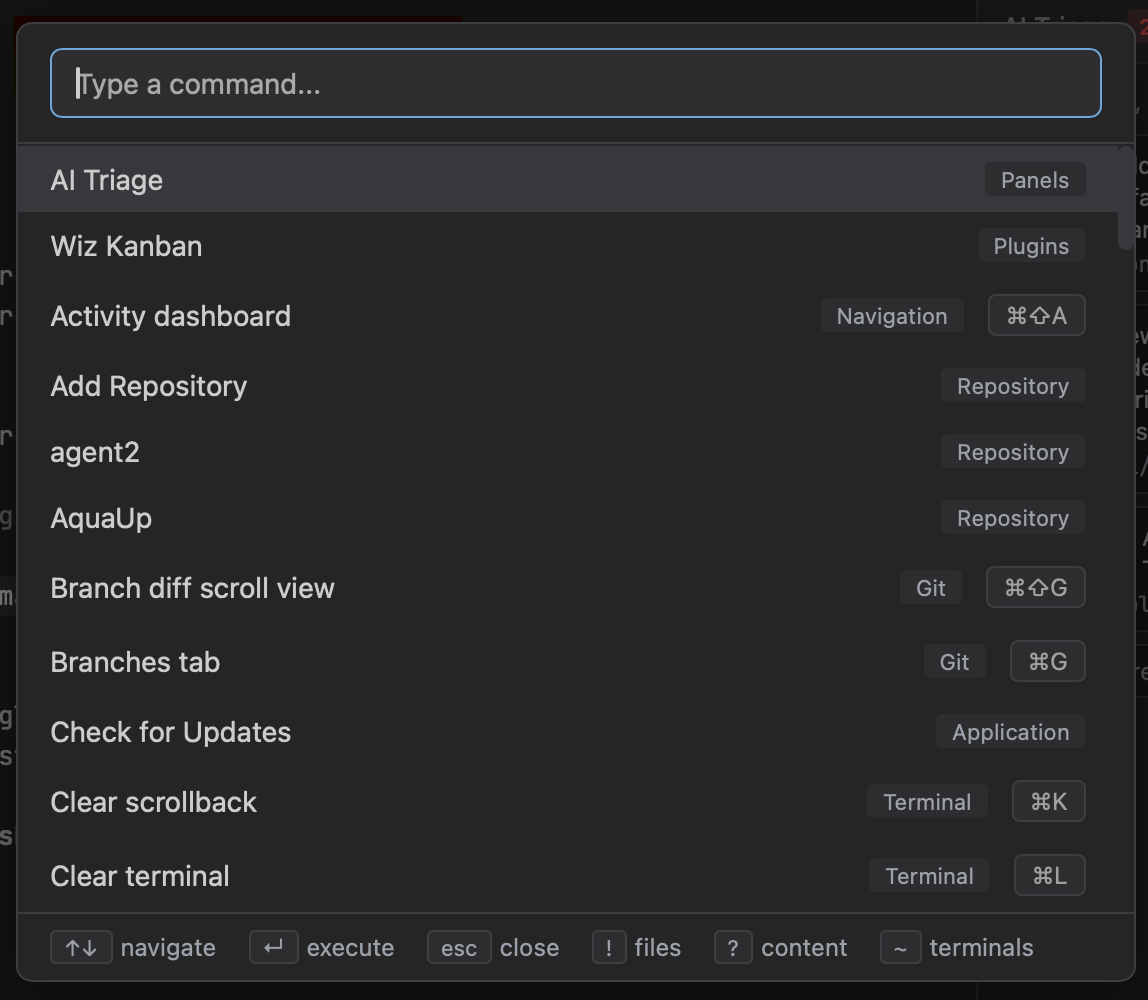
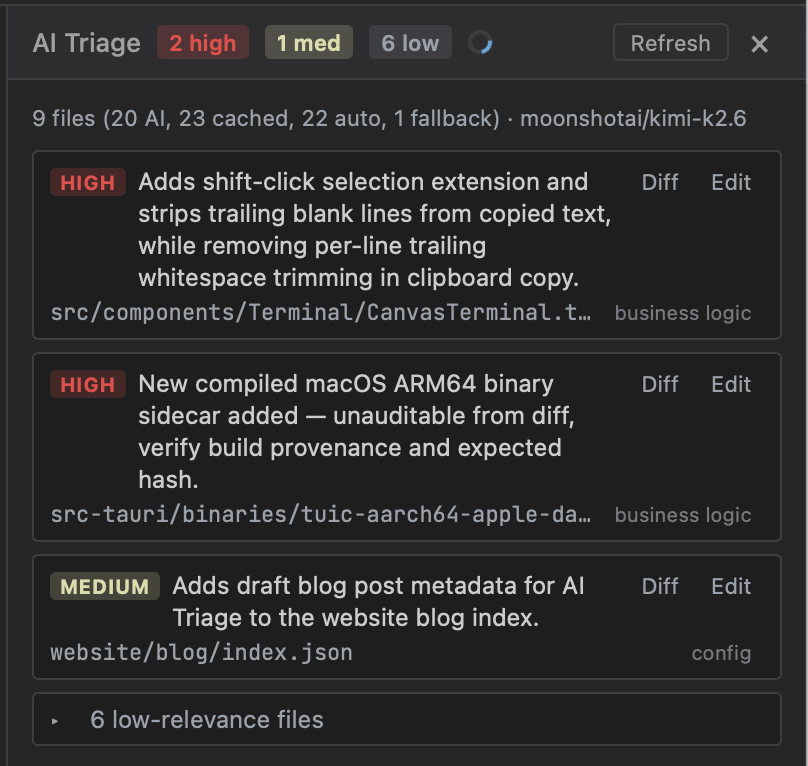
One click on the triage button in the sidebar. TUICommander reads your git diff, classifies every changed file, and presents them sorted by what needs your attention:
- Relevance — high, medium, or low. A schema migration is high. A lock file is low.
- Category — business logic, API surface, schema, config, test, boilerplate, or style.
- Risk — breaking change, behavioral change, or cosmetic.
- Summary — one sentence explaining what changed in this file and why it matters.
The result is a prioritized review list. You spend your attention where it counts.
Two-layer classification
The system doesn't just throw everything at an LLM and wait. It runs a two-layer pipeline:
Layer 1: Heuristic (instant, zero tokens). Lock files (Cargo.lock, pnpm-lock.yaml, yarn.lock...), generated code (protobuf output, codegen), CI configs, documentation, static assets, and formatting-only changes are classified locally. No API call needed. SQL migrations are auto-flagged as high-relevance schema changes — because you always want to review those.
Layer 2: LLM (streaming, per-file). Everything that survives the heuristic filter gets sent to the LLM. But not all at once — file by file, with streaming progress events. As each file is classified, the result appears in the panel immediately. You can start reviewing high-risk files while the LLM is still working through the rest.
The heuristic layer typically handles 30-50% of files in a real diff. That's 30-50% fewer tokens, with instant results for the obvious stuff.
Multi-turn conversation
Triage doesn't stop at classification. Each triage session is backed by a TriageSession struct that maintains conversation history with the LLM. After the initial classification, you can ask follow-up questions about specific findings:
- "Why did you flag
auth.rsas a breaking change?" - "Is this schema migration safe to run on a table with 50M rows?"
- "What's the relationship between the changes in
handler.rsandtypes.rs?"
The LLM has the full diff context in its conversation history — it can answer questions about relationships between files, not just individual changes.
Caching and refresh
Real review workflows aren't one-shot. You triage, fix something, re-run. The system hashes each file's diff content. When you hit refresh, files that haven't changed get their cached classification instantly. Only modified files go back through the LLM.
If the set of changed files itself changes (a new file appears, or one is removed), the session resets its overview summary so the LLM gets a fresh picture of the overall change.
Provider-agnostic
AI Triage plugs into TUICommander's provider registry. The triage slot can be assigned to any configured provider — Anthropic, OpenAI, OpenRouter, Ollama (local), or any OpenAI-compatible endpoint. You pick the model that fits your budget and privacy requirements. Run it against a local LLM if the diff contains sensitive code.
Why this doesn't exist elsewhere
AI-powered code review exists. GitHub Copilot reviews PRs. CodeRabbit, Codacy, and others analyze pull requests on CI. But they all share the same constraint: they operate on the PR after you push.
That's too late in the workflow. By the time a CI bot comments on your PR, you've already context-switched. You need to go back, re-read the diff, understand the comment, and make fixes. It's a round-trip that breaks flow.
AI Triage runs locally, before you commit. It's part of the "am I done?" check — the moment between finishing the work and pushing it. That's when you're most receptive to feedback, because you still have the full context in your head.
IDE extensions like Copilot and Cursor are focused on generation — autocomplete, inline chat, apply-in-editor. They help you write code. They don't help you assess what was written. The diff triage role is unoccupied in their UX.
The implementation
1,800 lines of Rust. The heuristic classifier knows about 30+ file patterns across lock files, config, CI, docs, assets, migrations, and formatting. The LLM integration uses JSONL streaming — each line is either a summary object or a file classification object, parsed incrementally as the model generates. Tool use lets the LLM call back into the repo for additional context (reading files, checking git blame) when it needs more information to classify accurately.
The frontend panel updates progressively — files appear sorted by relevance as they're classified, with a progress indicator showing how many files remain. Each file card has a "Diff" button that opens the relevant file diff in context, so you can go from "this is flagged as high-risk" to reading the actual code in one click.
Customizable prompts
The system prompt that guides the LLM's classification is fully editable. In Settings > Agents, the AI Prompts editor lets you modify the triage prompt — or any other AI prompt — with a textarea, a "Modified" indicator, and a reset-to-default button. If you work on a codebase where migrations are routine or certain file patterns need special handling, you can tune the prompt to match your workflow.
What's next
We're exploring branch-vs-branch triage (not just working tree diff), integration with the PR workflow so triage results can be attached as PR comments, and pattern learning — the system noticing that certain file patterns in your repo always get the same classification and promoting them to heuristic rules automatically.
The gap in AI coding tools isn't generation. It's review. AI Triage is our answer.