Talking to your AI agents instead of typing
Hold a key, speak your instruction, release. The text appears in the terminal. No cloud service, no API key, no latency — Whisper runs locally on your machine.
The problem
AI coding agents are conversational — you give instructions in natural language and they execute. But typing those instructions can be slow, especially when you're explaining complex requirements or walking through a multi-step task. Sometimes you know exactly what you want but your typing speed is the bottleneck.
Cloud-based dictation services add latency and require sending your audio (potentially containing sensitive project details) to external servers. For a tool that runs locally and handles proprietary code, that's a non-starter. We needed voice input that was as private and fast as the rest of TUICommander.
Local Whisper inference
TUICommander integrates OpenAI's Whisper model directly via whisper-rs — the inference runs entirely on your machine. On macOS, it's GPU-accelerated through Metal, making transcription near-instant even with larger models. On Linux and Windows, it runs on CPU, which is slower but still practical with the smaller models.
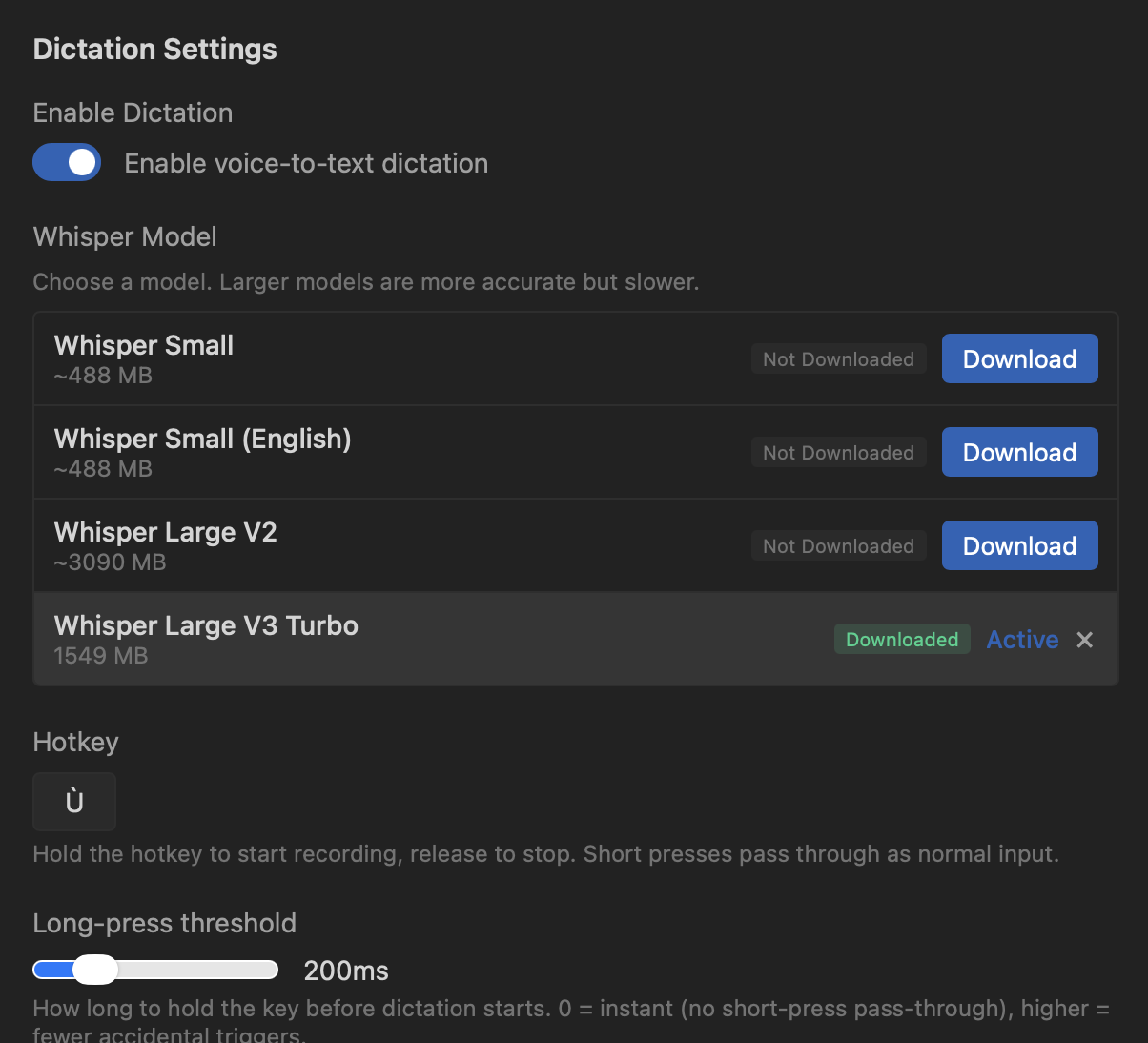
You choose the model that fits your hardware. The range goes from Whisper Small (~488 MB, fast, good enough for short commands) to Whisper Large V3 Turbo (~1.5 GB, excellent accuracy for longer dictation). Models download once and stay on disk — no recurring network calls.
Push-to-talk with streaming
The interaction is simple: hold your hotkey, speak, release. Short presses pass through as normal input so the key isn't wasted. A configurable long-press threshold (default 200ms) prevents accidental triggers.
While you're speaking, TUICommander shows real-time partial transcription in a floating toast above the status bar. It uses adaptive sliding windows — the first partial appears within ~1.5 seconds, then subsequent windows grow to 3 seconds for better quality. A voice activity detection (VAD) energy gate skips silence windows to prevent hallucination, and 200ms audio overlap between windows carries context for continuity.
The transcribed text goes wherever makes sense: if a text input has focus (a textarea, input field, or contenteditable element), it inserts there. If no text input is focused, it writes directly to the active terminal PTY. The focus target is captured at key-press time, not release time, so you always know where the text will land.
How we use it
The most common use case is giving complex instructions to an agent. Instead of typing a paragraph describing what you want refactored and how, you hold the key and explain it naturally. The agent gets a longer, more detailed instruction than you would have bothered to type — which means better results.
It's also useful for commit messages ("commit these changes with a message about fixing the branch selection performance"), quick responses to agent questions, and describing multi-step plans. Anything where natural speech is faster than structured typing.
The mic button in the status bar provides a visual alternative to the hotkey — hold to record, release to transcribe. It's the same mechanism, just accessible with a mouse click for when you're not near the keyboard.
What's next
We're exploring voice commands beyond dictation — recognizing intent from speech to trigger Smart Prompts directly. "Review this PR" could fire the Review PR prompt without typing. The building blocks are there: Whisper for transcription, Smart Prompts for actions, and the context variables to fill in the gaps.