From the couch to 5G: how we built remote access
We wanted to check on AI agents without sitting at the desk. After trying session logs, remote proxies, and SSH, we ended up building a full mobile experience.
The problem
When you run AI coding agents on long tasks, you want to know what's happening. Is it stuck? Does it need input? Did it finish? But you don't always want to be sitting at your computer to find out.
We tried the obvious solutions first. Tools that parse session logs and give you a read-only view — but they couldn't send commands back, which made them useless with our skill framework that needs interactive access. SSH from a phone is technically possible but painful. VNC gives you the full desktop but it's slow and clunky on mobile.
What we actually wanted was simple: see our terminals, interact with agents, and get notified when something needs attention — from anywhere, on any device.
It started on the couch
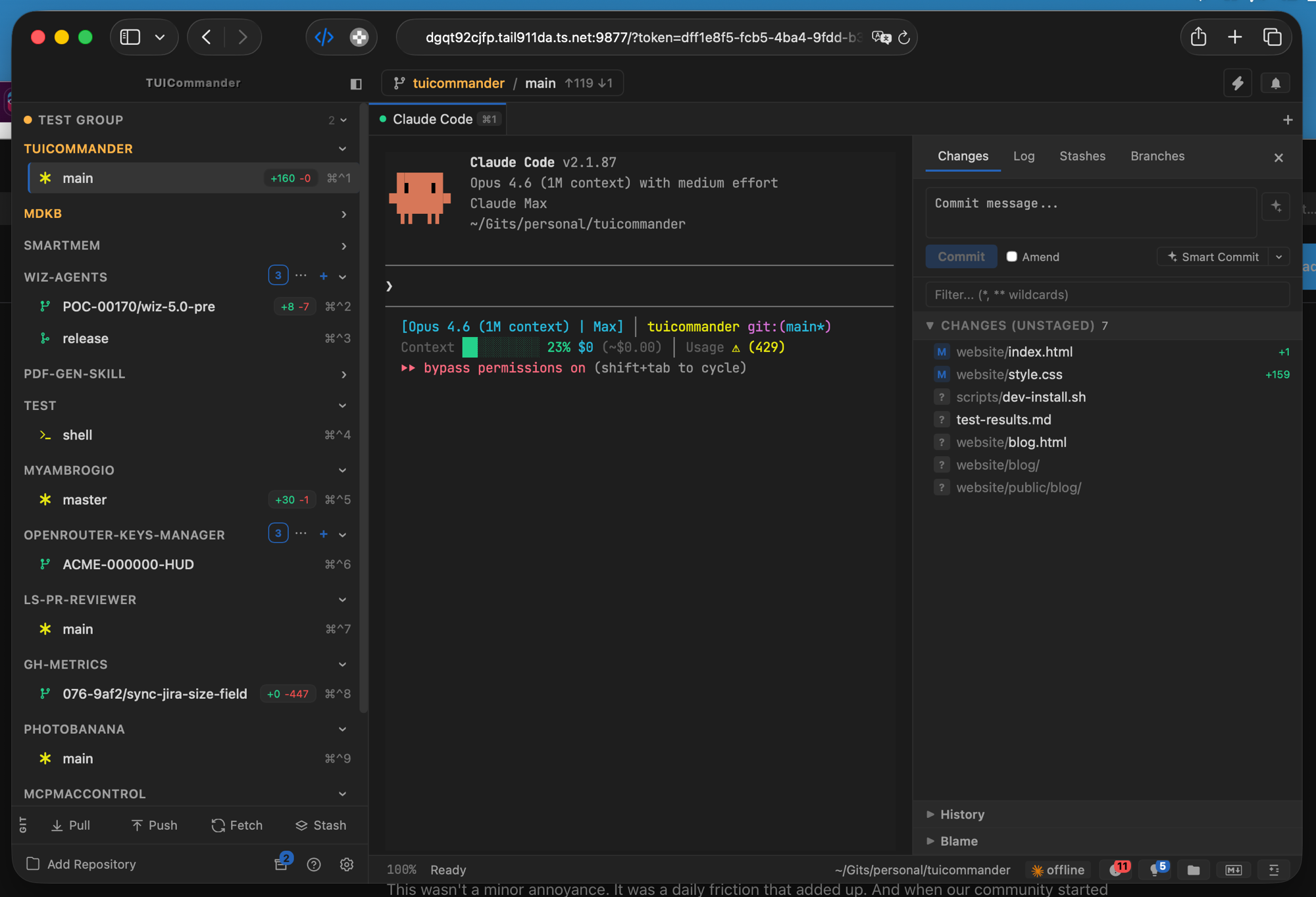
The first version wasn't about mobile at all. We wanted to work from the couch instead of the home office. An iPad with a real terminal session connected to TUICommander, with the same repo list, the same agent status, the same ability to send commands.
So we built a web interface — not a stripped-down dashboard, but a full remote session that mirrors the desktop experience. WebSocket-based PTY connections, native terminal rendering, repo switching, activity notifications. The same app, in a browser.
Then we needed to leave the house
The couch version worked over the local network. But then you want to check from a coffee shop, or while commuting, or from a different office. The first approach was a remote proxy — port forwarding with authentication. It worked, but it required configuration, exposed ports, and felt fragile.
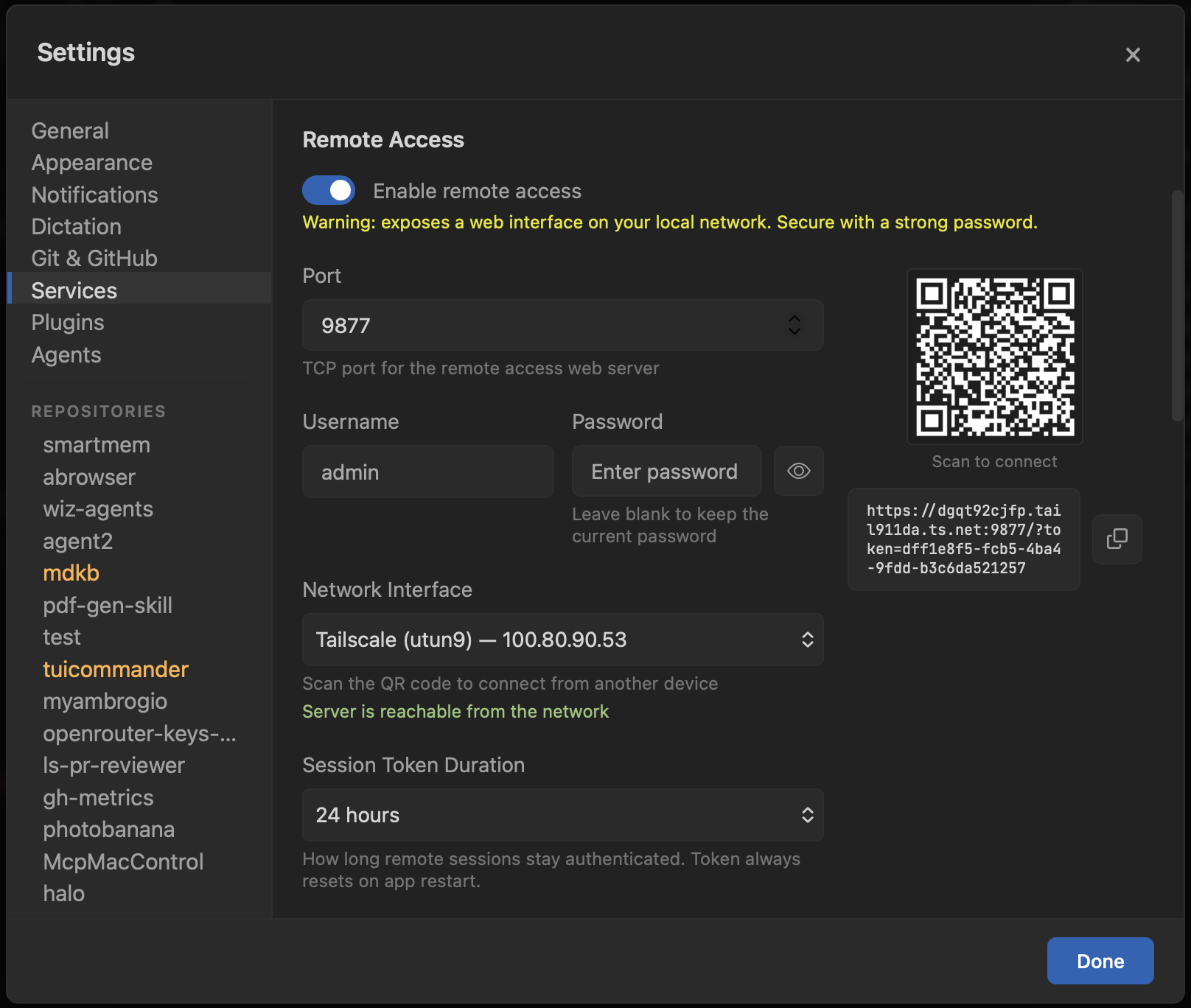
Then we integrated Tailscale. TUICommander auto-detects the Tailscale daemon, provisions TLS certificates via the Local API, and serves the web interface over HTTPS on your private Tailscale network. No port forwarding, no firewall rules, no configuration. The settings page shows a QR code — scan it from your phone, and you're connected.
The PWA: a real terminal in your pocket
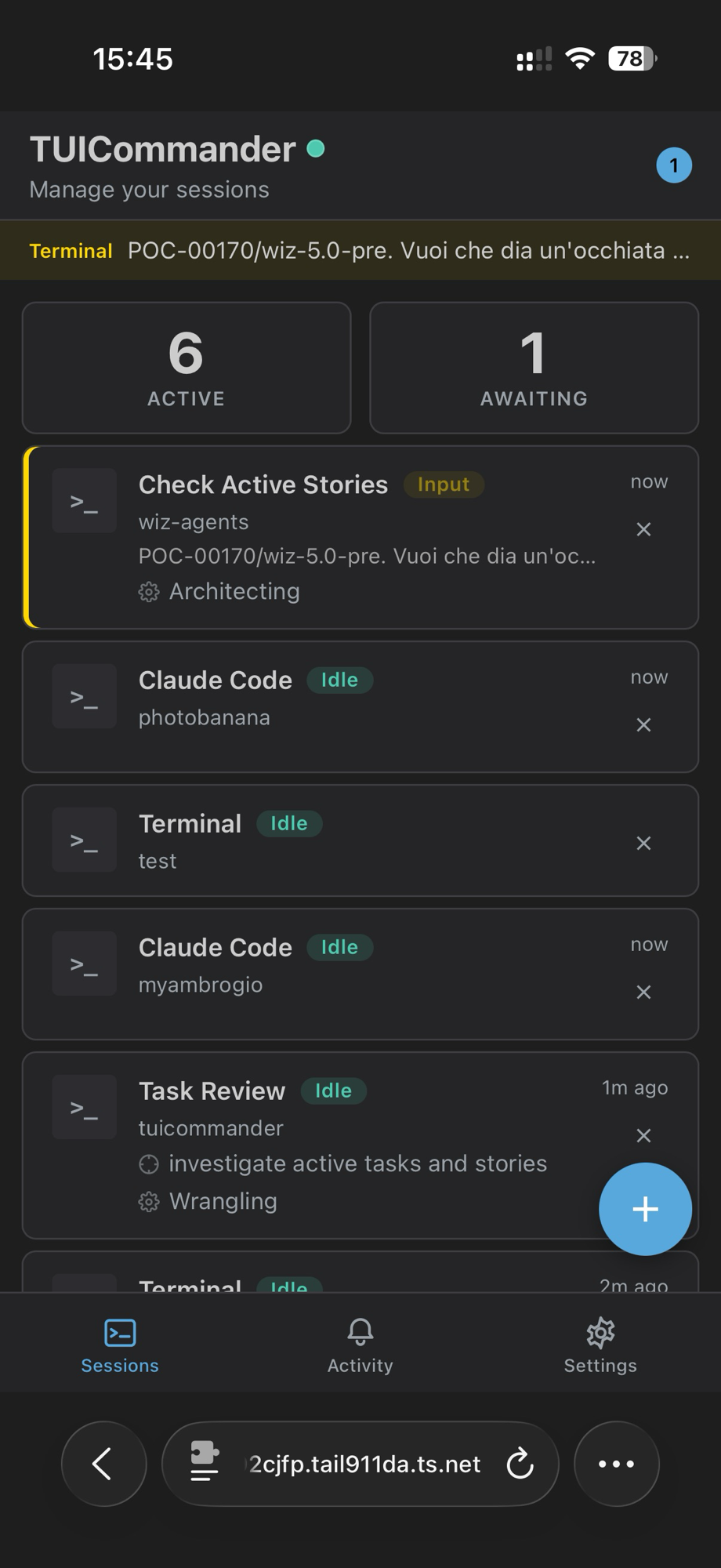
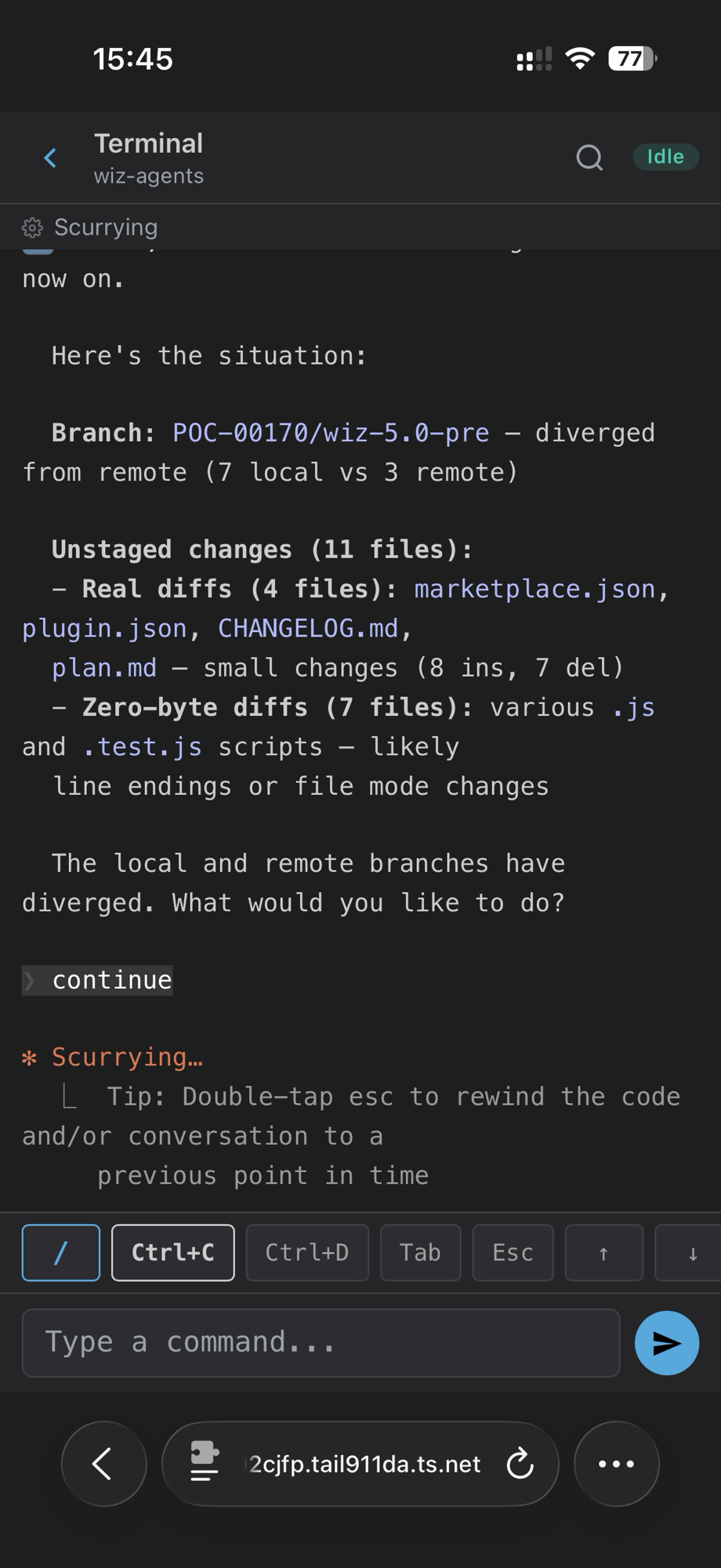
Once Tailscale made the connection trivial, we built a PWA (Progressive Web App) optimized for mobile. Not a monitoring dashboard — a real interactive terminal. You can see all your repos and active sessions, tap into any terminal, type commands, and interact with agents just like on the desktop.
The mobile UI has a toolbar with the keys you need most: /, Ctrl+C, Ctrl+D, Tab, Esc, arrow keys. There's a command input at the bottom for longer text. Sessions, Activity, and Settings tabs give you the full picture.
Push notifications close the loop
The final piece was notifications. Web Push from TUICommander directly to your mobile PWA — when an agent finishes a task, hits an error, or asks a question, you get a push notification. Tap it, and you're in the terminal session ready to respond.
Notifications are rate-limited (one per session per 30 seconds) to avoid spam during burst output. They work on both Android and iOS standalone mode, with guidance for iOS users who need to add the PWA to their home screen first.
The stack
The remote access system is built on a few layers that work together. The Rust backend runs an HTTP server (with automatic TCP port retry if the configured port is busy) that serves both the web interface and a WebSocket endpoint for real-time PTY data. Tailscale integration provisions TLS certificates automatically — the app checks for the Tailscale daemon, calls the Local API for certs, and falls back to CLI provisioning on macOS App Store builds. Certificates renew in the background every 24 hours.
Authentication uses session tokens with configurable expiry (the QR code and URL both embed the token). The web UI is a PWA with a service worker that handles push notifications and offline caching. Everything runs locally — no cloud relay, no third-party service in the data path.
What's next
We're working on an Activity feed for the mobile UI that surfaces parsed agent events — suggestions, progress, completion — so you can get the gist of what's happening without reading full terminal output. We're also exploring push notification actions, so you can respond to an agent's question directly from the notification without opening the app.