Anywhere

Even when you're out.

Your agents keep working when you leave the desk. TUICommander comes with you, and it pings you only when it matters.

Your sessions, in your pocket.

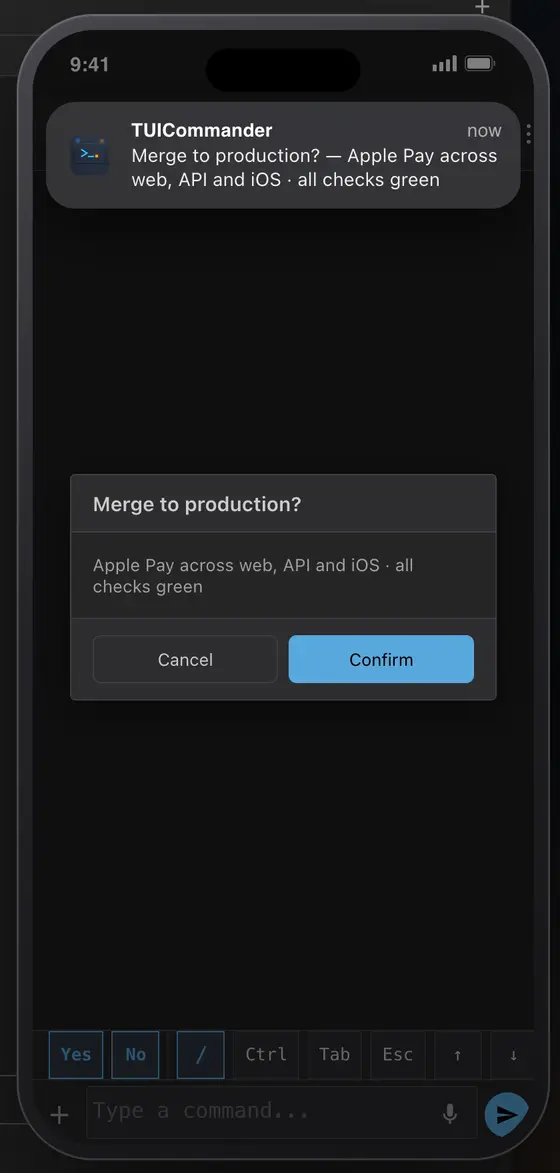
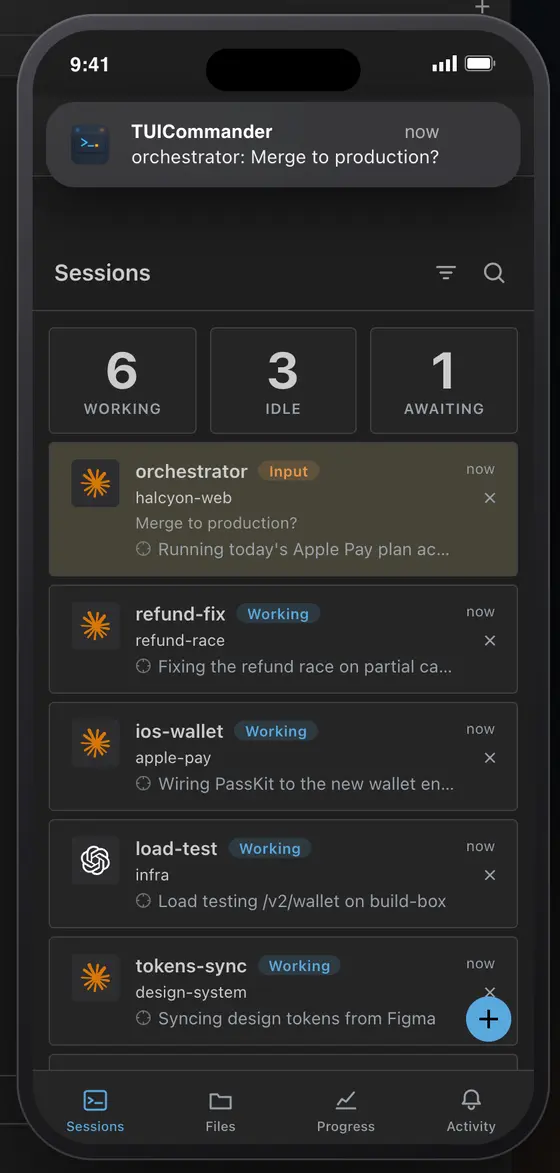
The mobile companion is a web app you add to your home screen. It lists every session with its state, opens the Chat view for Claude, Codex, Grok and ego, and shows an agent's question as a card you answer with one tap.

  • Connect over your network with a QR code, over Tailscale with automatic HTTPS, or through the end-to-end encrypted cloud relay.
  • Push notifications when an agent asks you something, over Tailscale HTTPS.
  • A keyboard bar with Ctrl, Tab, Esc and the arrows for the moments you need the CLI.
Read the Remote Access guide →
Phone companion with the session list Phone notification and a merge confirmation

Plan your day out loud.

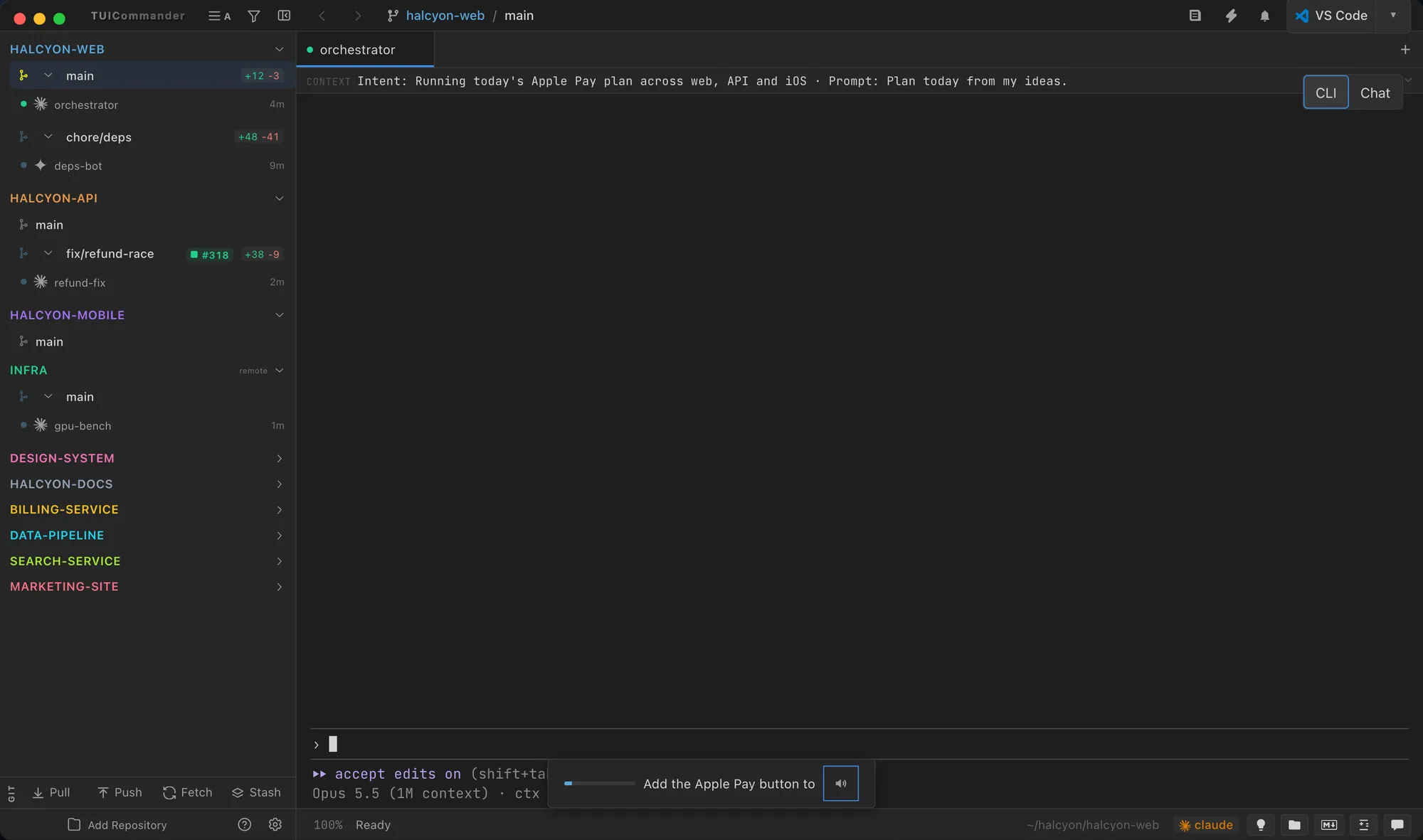
Push-to-talk sends one dictation to whatever has focus. Hands-free conversation binds one terminal, keeps the microphone open and sends each sentence on its own. Transcription runs on your machine with Whisper.

The agent can answer out loud. The default voices are Microsoft Edge online voices; Pocket TTS keeps speech on your machine in six languages.

Read the Voice Dictation guide →
A dictated prompt in the terminal composer

Agents on other machines. beta

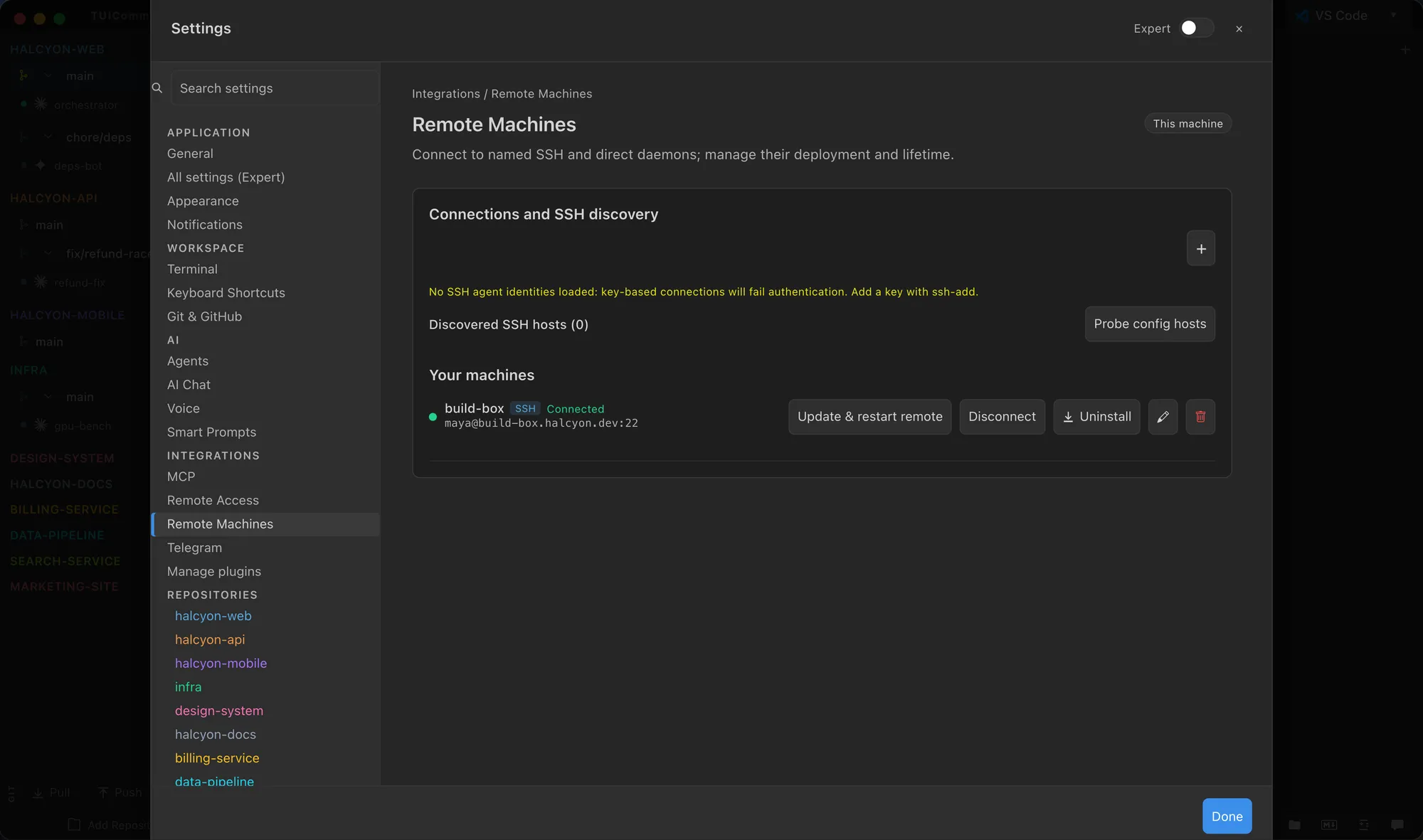
tuic-remote is the TUICommander backend without a desktop: run it on a build host, a server or a GPU box, and its repositories, terminals and agents appear in your sidebar like local ones. Add and manage these machines over SSH or a direct URL in Settings → Remote Machines. With it, dozens of agents can run across machines while you follow them from one window.

Read the Remote Access guide →
Settings page for remote machines

Telegram

Link a private chat to a bot and send text to the registered agent, or to AI Chat, from Telegram.

Secrets from the phone

When an agent asks for a password or a code, the private form can open on your trusted TUICommander address, on any device.

Browser mode

Most of the interface also runs in a plain browser against a running TUICommander or tuic-remote; desktop-only features stay on the desktop.