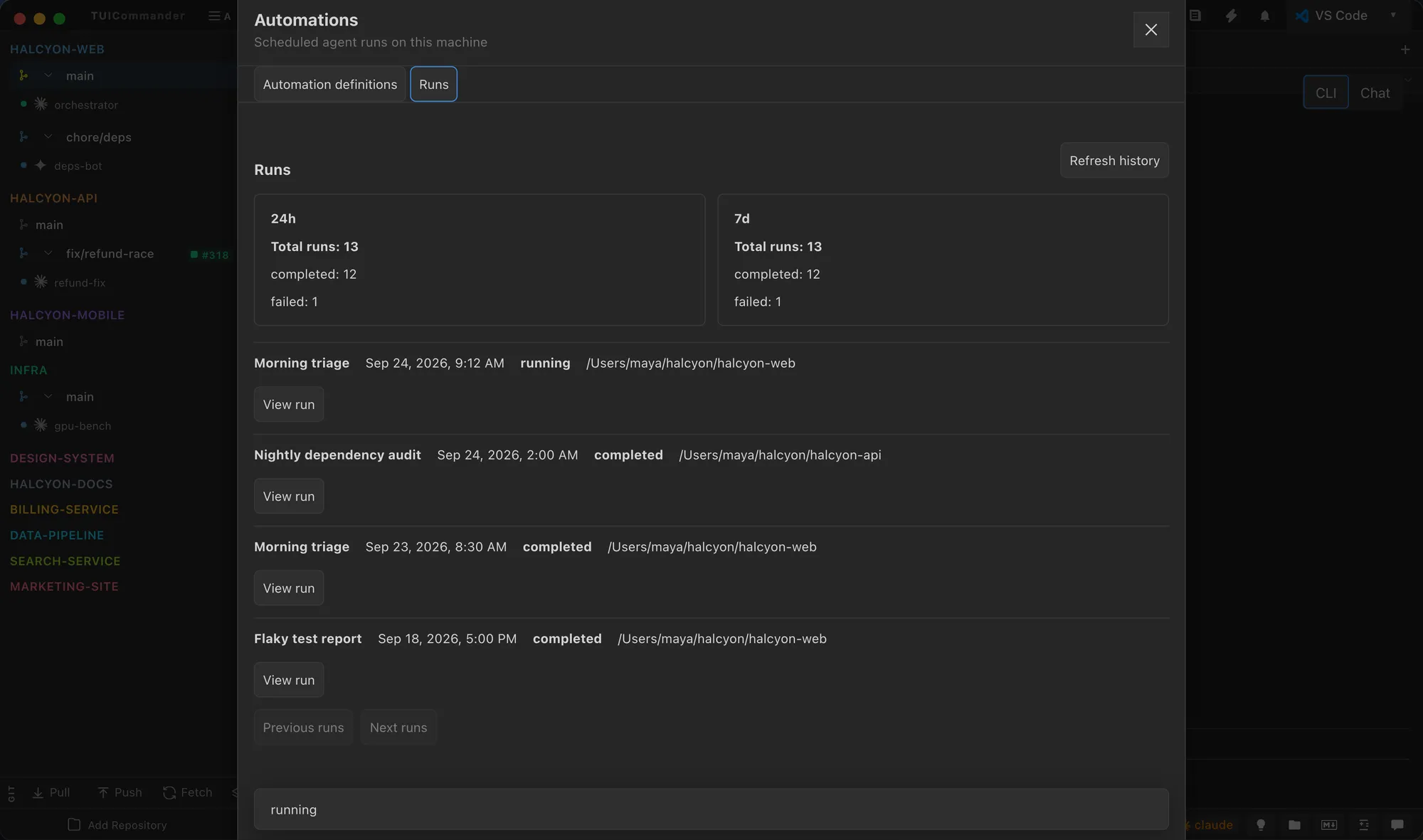
Ideas, caught on the way.
The Ideas panel (Cmd+Alt+N) keeps quick notes per project or globally, with images. Agents can add and read ideas too, through the tuic story CLI and MCP, so a plan can start from what you wrote down in passing.
Plan the work
Agents work best on clear, small stories. TUICommander keeps the ideas, the plans, the stories and the schedules next to the agents that run them.
The Ideas panel (Cmd+Alt+N) keeps quick notes per project or globally, with images. Agents can add and read ideas too, through the tuic story CLI and MCP, so a plan can start from what you wrote down in passing.
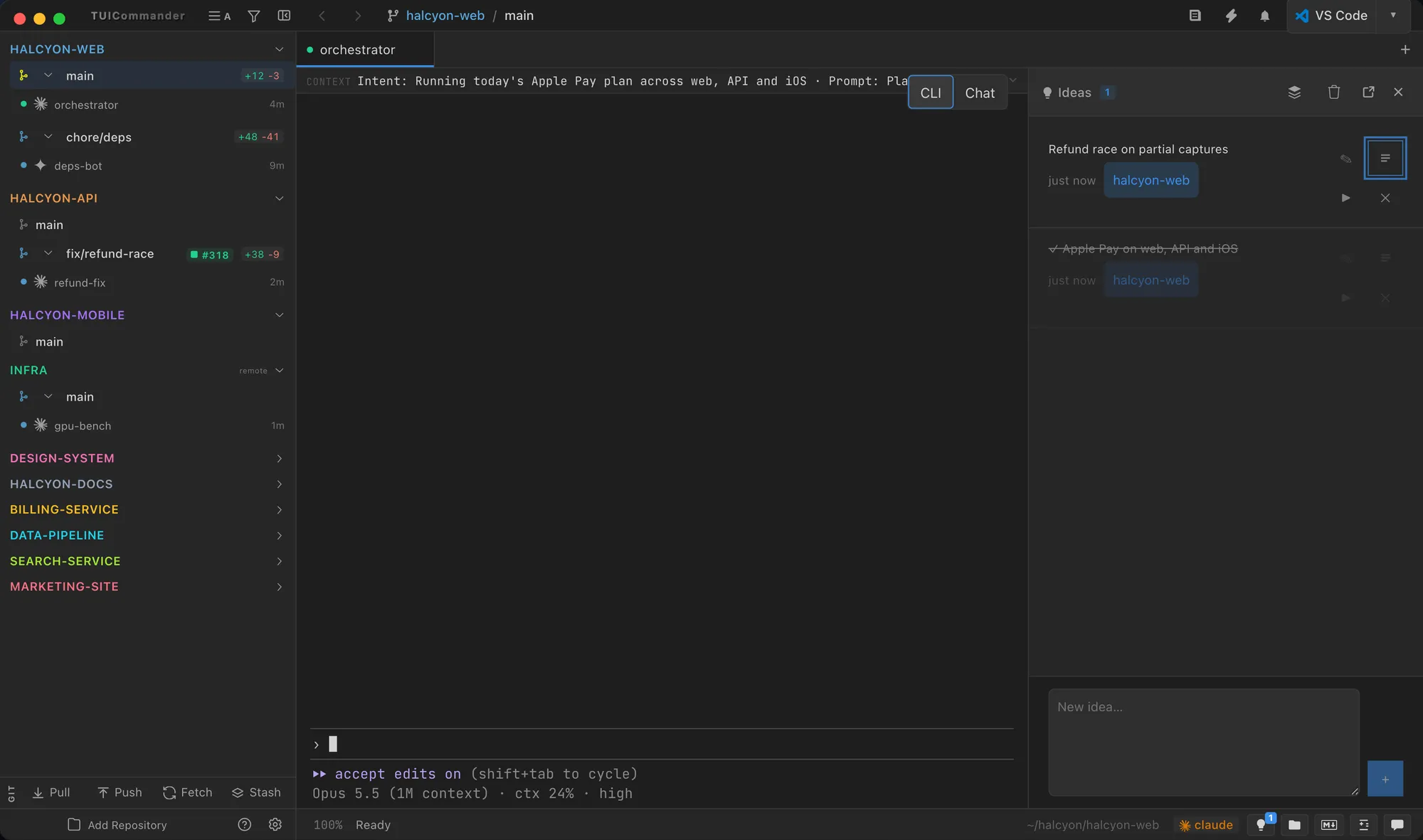
Plans and Stories manages native plans and stories inside TUICommander. A plan names a project and its Markdown document; its stories carry acceptance criteria, priority, type, dependencies and a revision history.
tuic story CLI. Detach the dialog into its own window.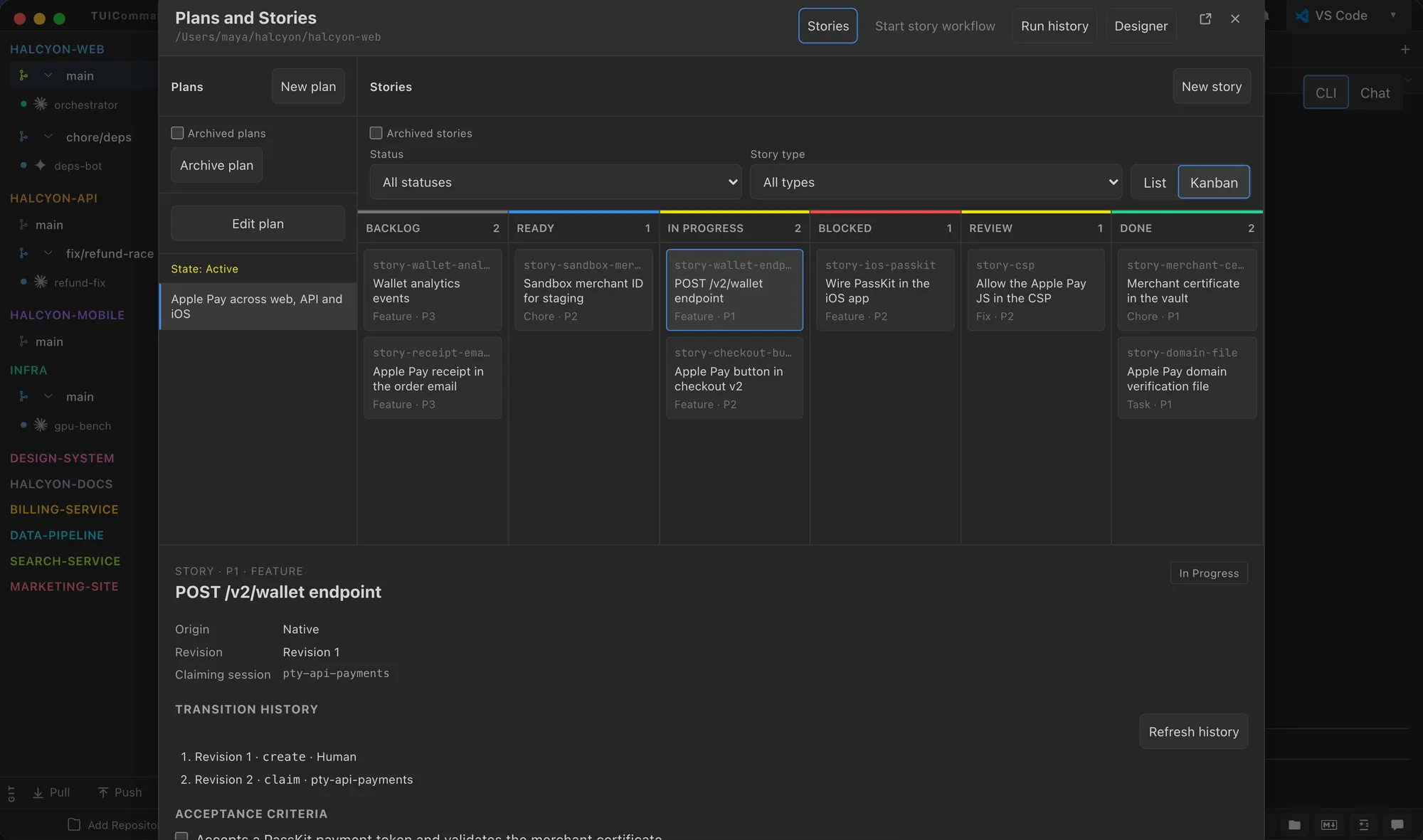
The Workflow designer draws a story's pipeline as nodes: agent steps, judges, loops, pauses, notifications and joins. Each agent step uses a run profile you saved. Failed steps pause the run, and Run history shows the cause and offers Resume. The designer is new in 2.0, and some node types are still drafts.
Read about workflows →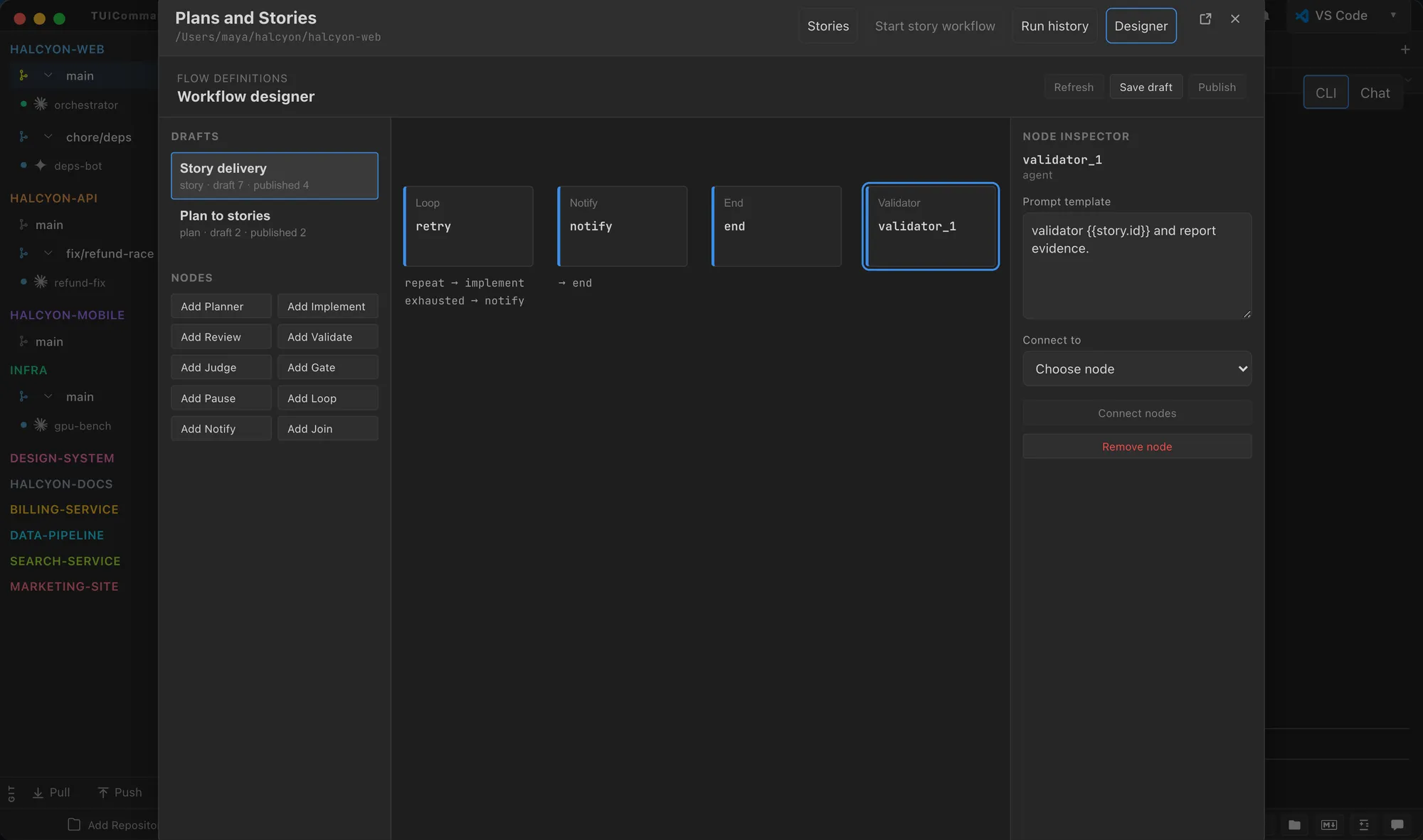
Automations start a saved agent profile with a literal prompt, once or on a cron schedule, in an existing checkout or a new worktree per run. Built-in templates cover a weekday repository audit, release readiness, a daily change review and an hourly maintenance review.