Review and ship

From idea to PR, in the same window.

The tracker, the branch, the diff, the review and the CI result all sit next to the agent that wrote the code.

Your tracker, next to your agents.

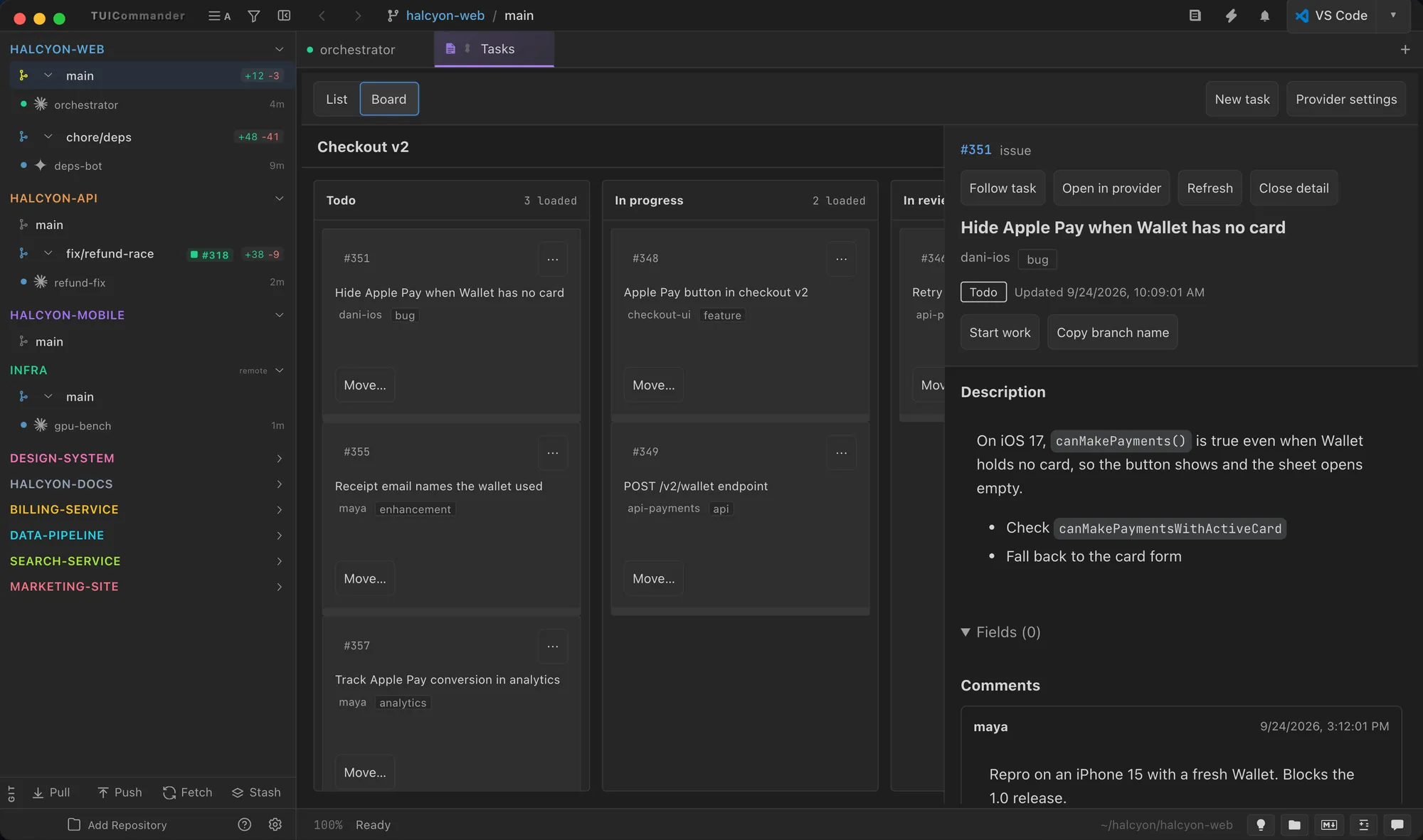
Tasks shows your work items as a list or a board, with assignees, labels and the moves each provider allows. Open an item to read its description and comments, then start work on it in a branch.

  • GitHub issues and Projects, on github.com and GitHub Enterprise, with several accounts bound per repository.
  • Jira and GitLab through provider plugins, configured in Tasks.
Read the GitHub Integration guide →
Tasks board with an issue's description and comments

CI breaks. The agent fixes it.

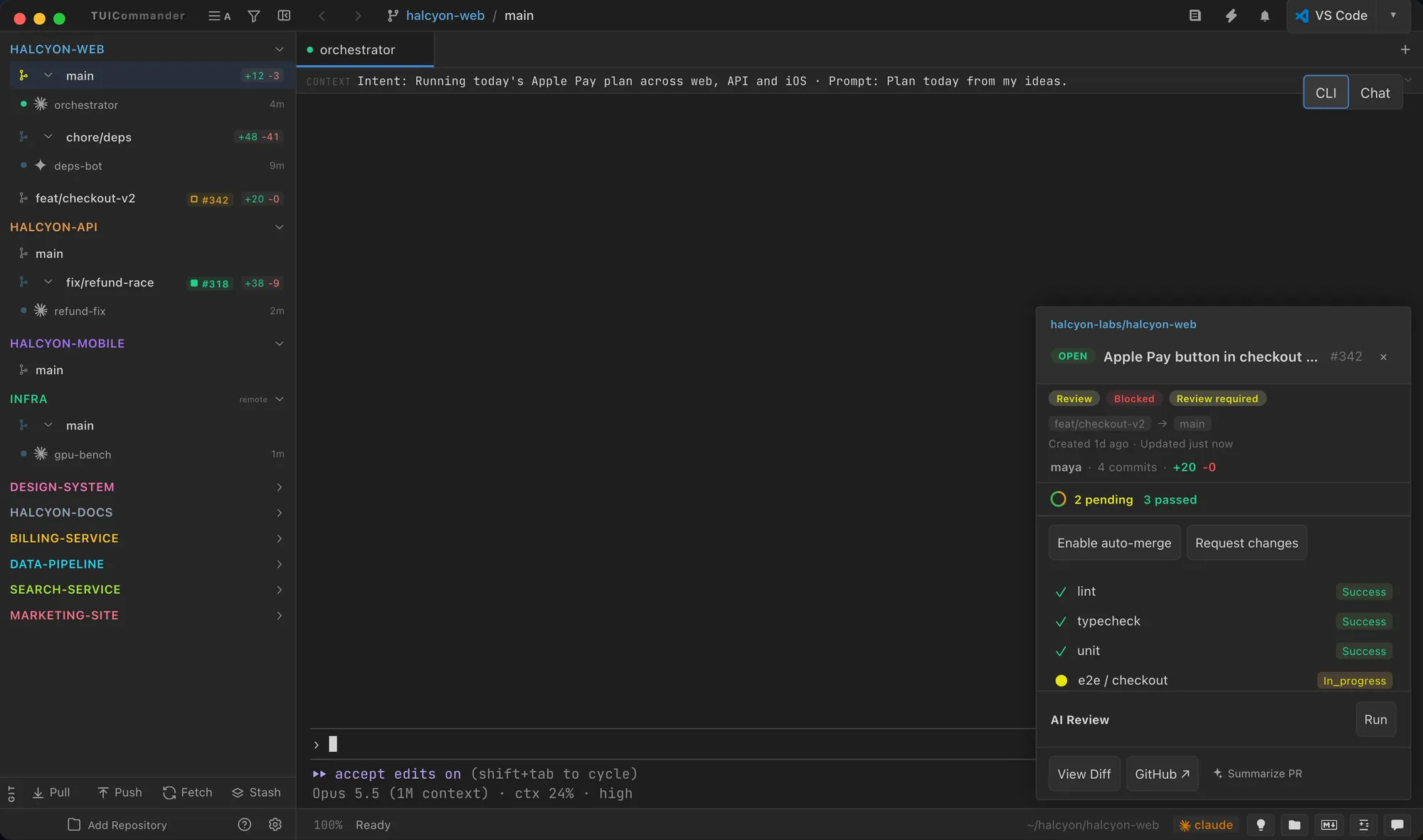
Every branch with a pull request shows its badge and CI ring. The detail popover gives the merge readiness, the review decision and each check. Turn on Auto-heal and the failing GitHub Actions or CircleCI logs go to the agent on that branch, with a budget of three delivered attempts.

Read about CI Auto-Heal →
Pull request detail popover with checks and the auto-heal switch

Review the PR in place.

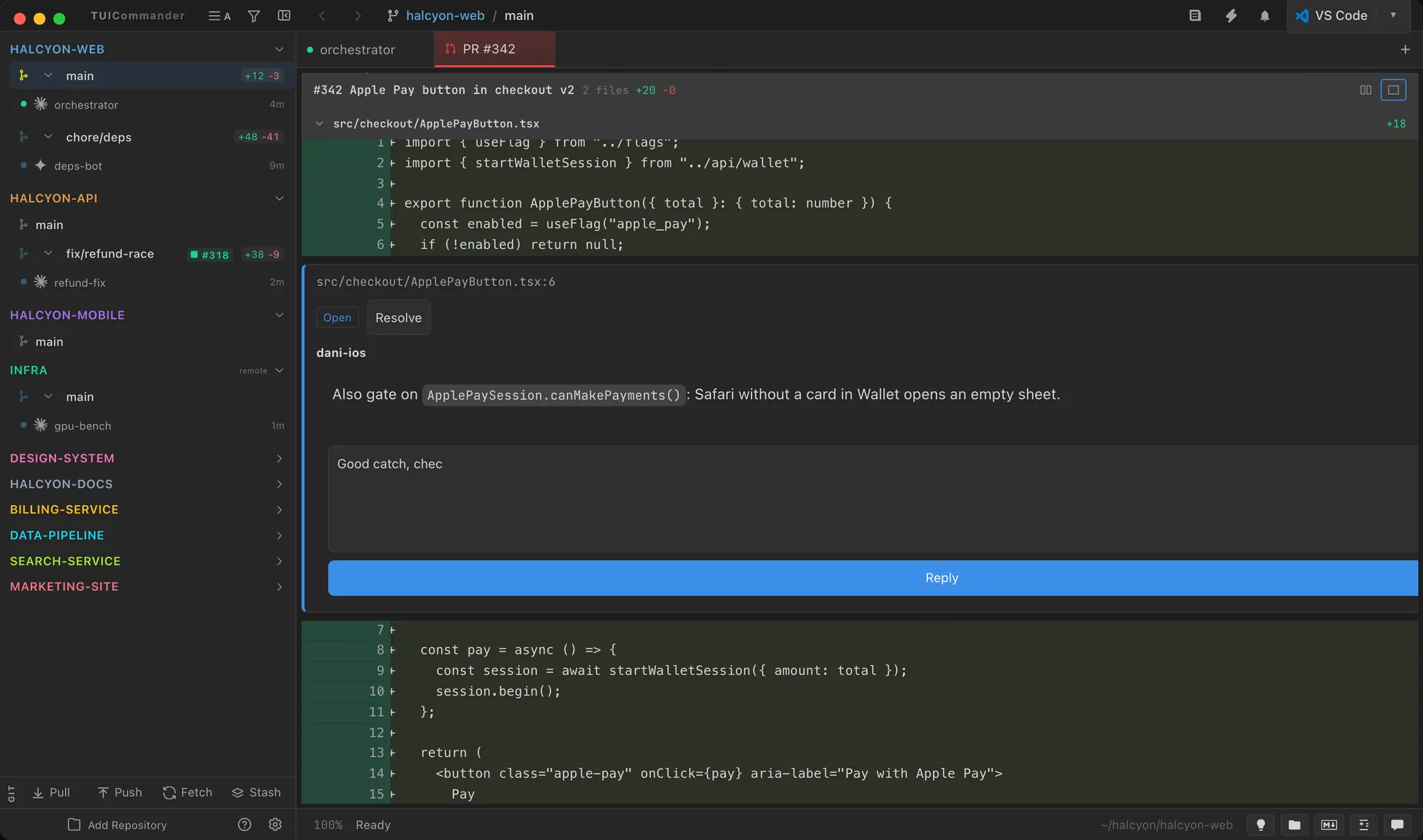
The PR Files tab draws the review threads on the diff lines. Reply, resolve, add pending comments from the line gutter and submit the review, pinned to the head you read. If the head moves, the submission is refused instead of landing on code you did not see.

Read the GitHub Integration guide →
Pull request diff with a review thread on a line

Branches without the bookkeeping

Worktrees, managed

The + button creates a branch in its own worktree, ready for an agent. Ignored build directories arrive copy-on-write, so the first build is incremental.

Merge and archive

Right-click a worktree branch to merge it and archive or remove the worktree. The Worktree Manager shows all of them with PR state and dirty files.

Git panel

Diff, stage and commit, plus a Branches tab to create, merge, rebase, push, pull and compare. Smart Commit asks your agent to write the message.

Worktrees guide ยท Branch Management guide

A board for every provider.

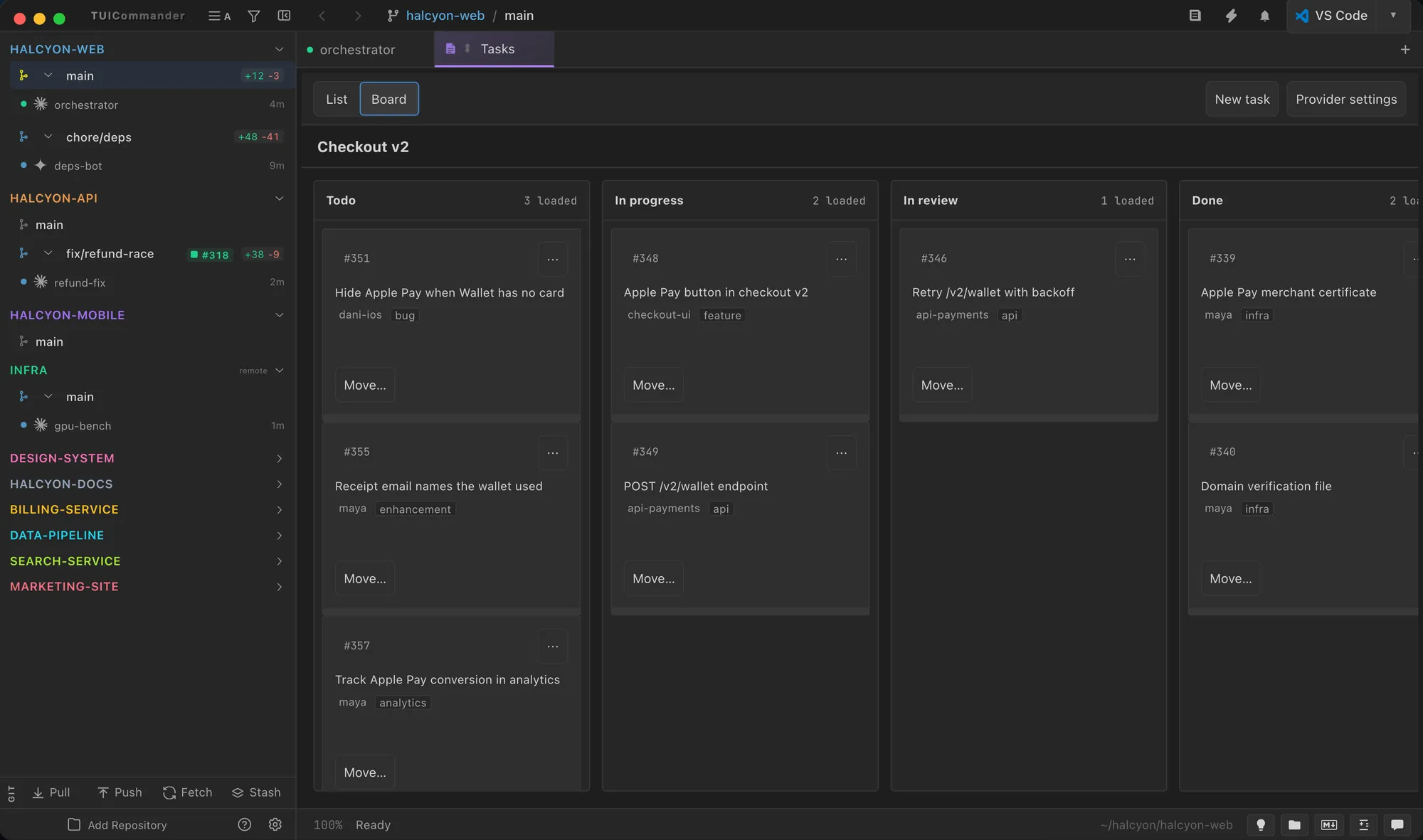
Lanes load page by page, cards move through a menu of the transitions the provider allows, and the arrow keys work everywhere. Your last view is remembered.

Read about Tasks providers →
Tasks board with lanes and cards